My New Features
Explore your new features below that will help you let the platform do the work.
Table of Contents
Automation |
||
Action ButtonsSetup Required |
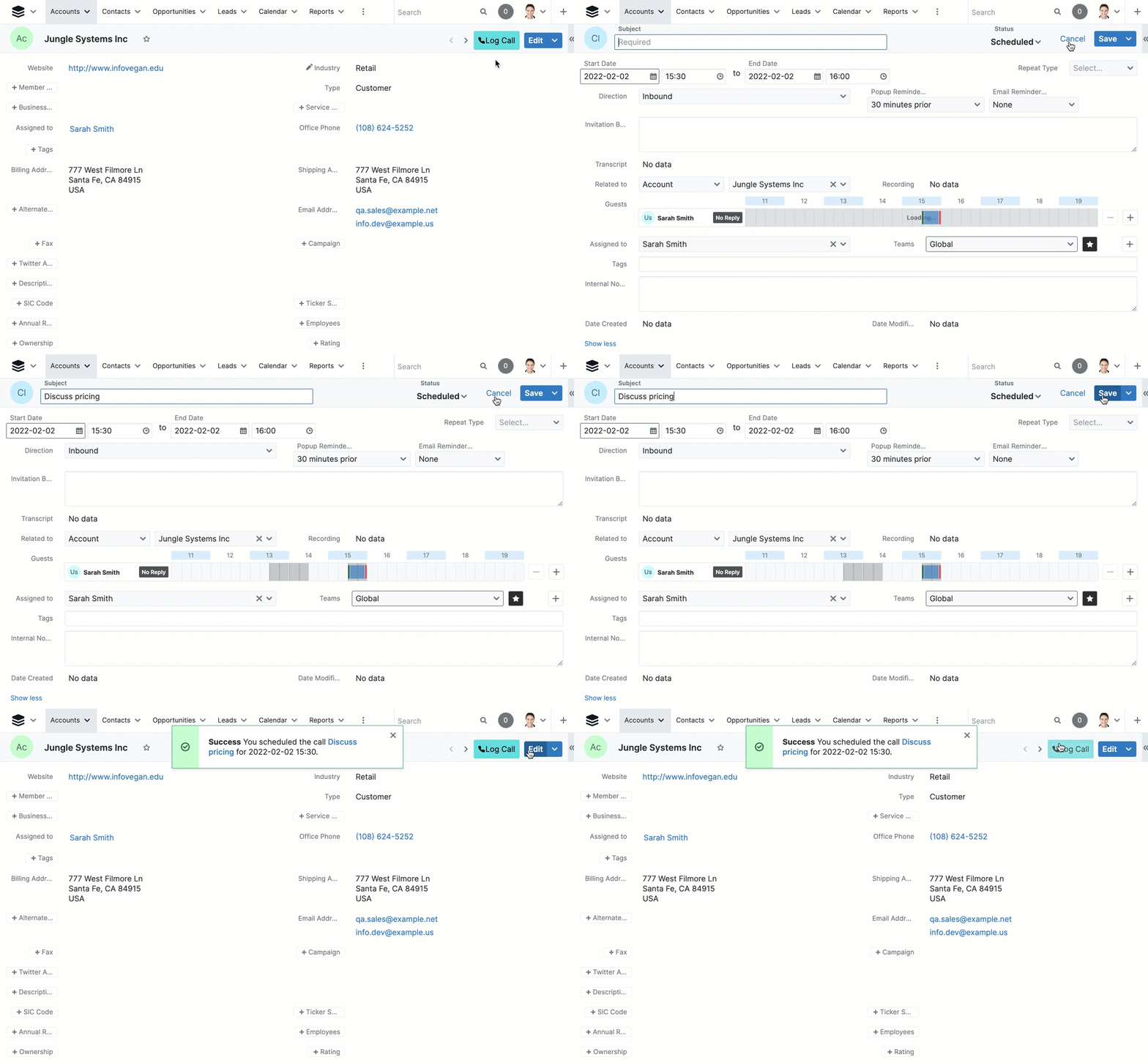
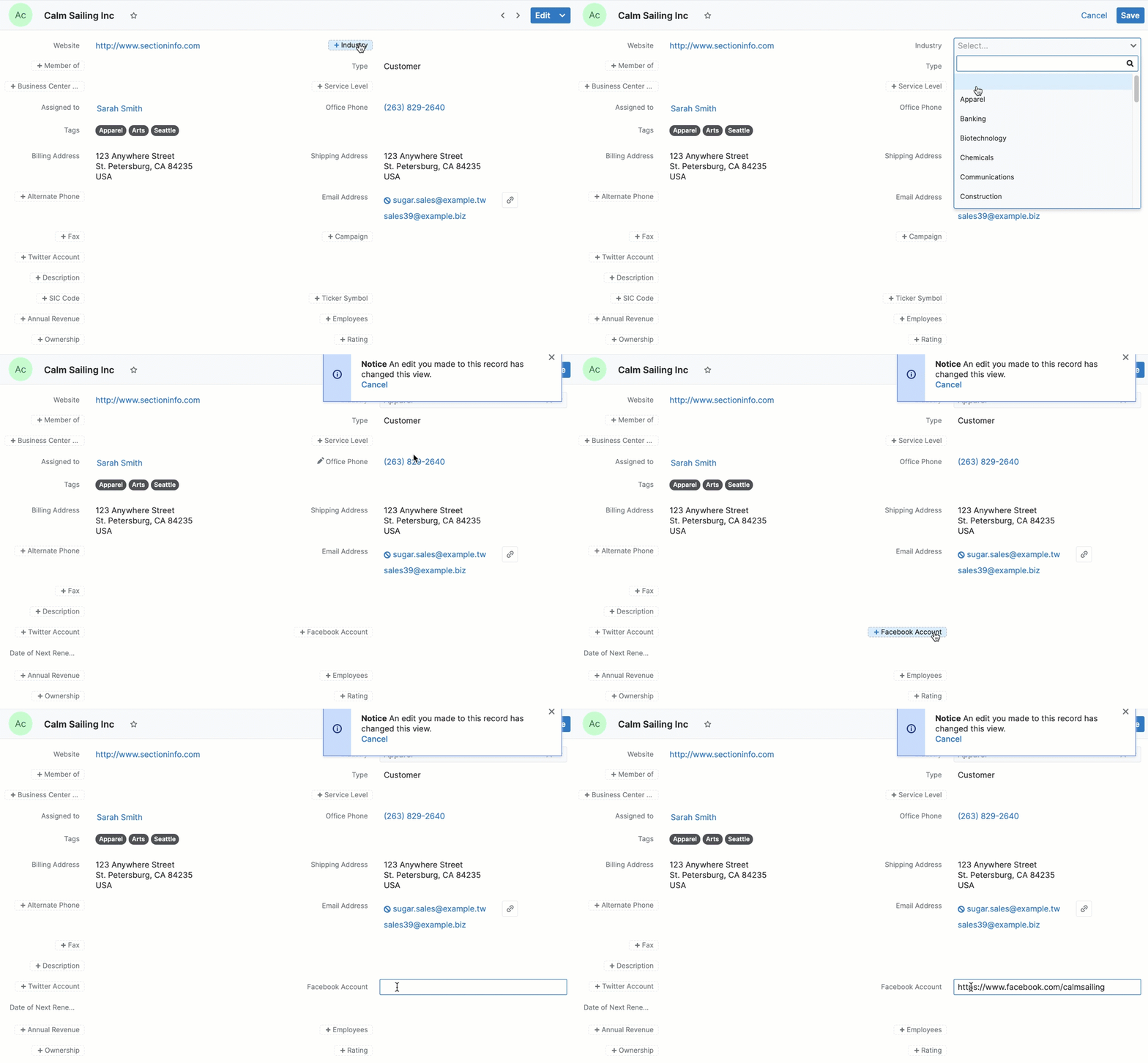
Want to perform recurring tasks with fewer clicks? Create custom Action Buttons that enable users to perform quick actions like sending an email, creating or editing a related record, or opening an external web page, all without leaving their current record. |
|
Business Process ManagementSetup Required |
SugarBPM |
|
Sales BPM TemplatesSetup Required |
Get up to speed using SugarBPM faster with pre-built templates that help automate sales processes around leads, opportunities, and quotes. |
|
Employee Schedule Management |
||
Business CentersSetup Required |
Create automation, reports, and filters based on your organization’s centers of operation. Tie these together with SugarBPM to automate business activities by Business Center. Whether you want one or many, you can customize each business center to include a time zone, operating hours, holidays, geographical region, customer type, and more. |
|
Shifts |
Define your employees’ working hours so you can implement time-based BPMs, create improved reporting, and gain insights into work practices. |
|
Shift Exceptions |
Create exceptions for the working hours of your employees. |
|
Holidays |
Respond to leads and cases quickly by automatically routing them to the right user based on your company’s holiday schedule. |
|
External Omni-Channel Comms |
||
Sugar PortalSetup Required |
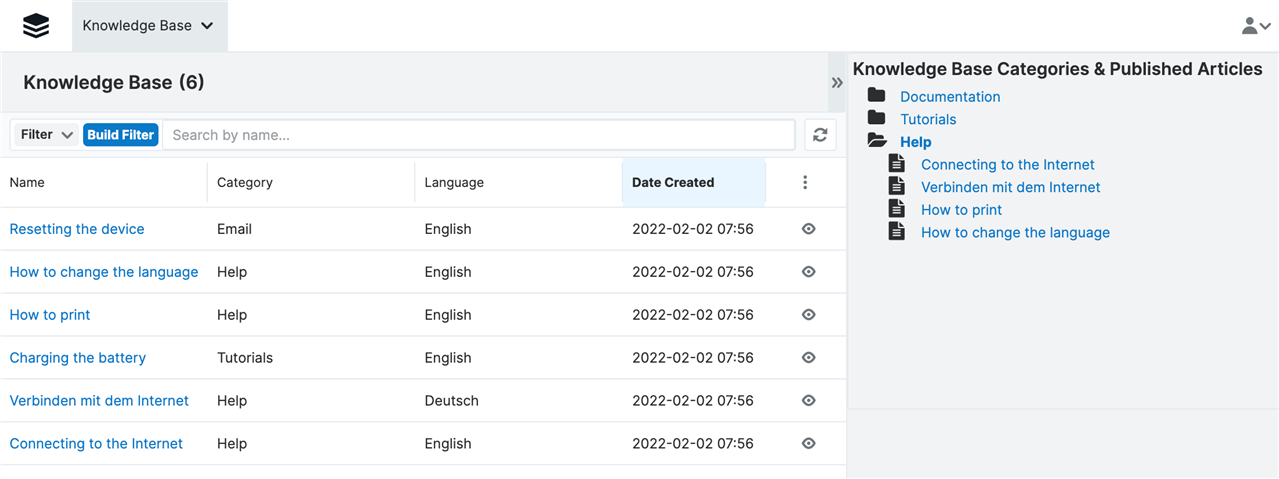
Allow your users to share published Knowledge Base articles with customers and interact with those customers via Notes. |
|
Internal Communications |
||
Comment Log Dashlet |
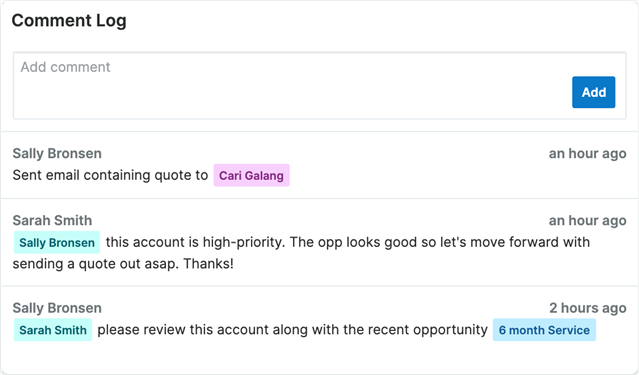
Avoid unnecessary emails by collaborating with coworkers in the Comment Log directly on the record view or focus drawer. |
|
Escalations |
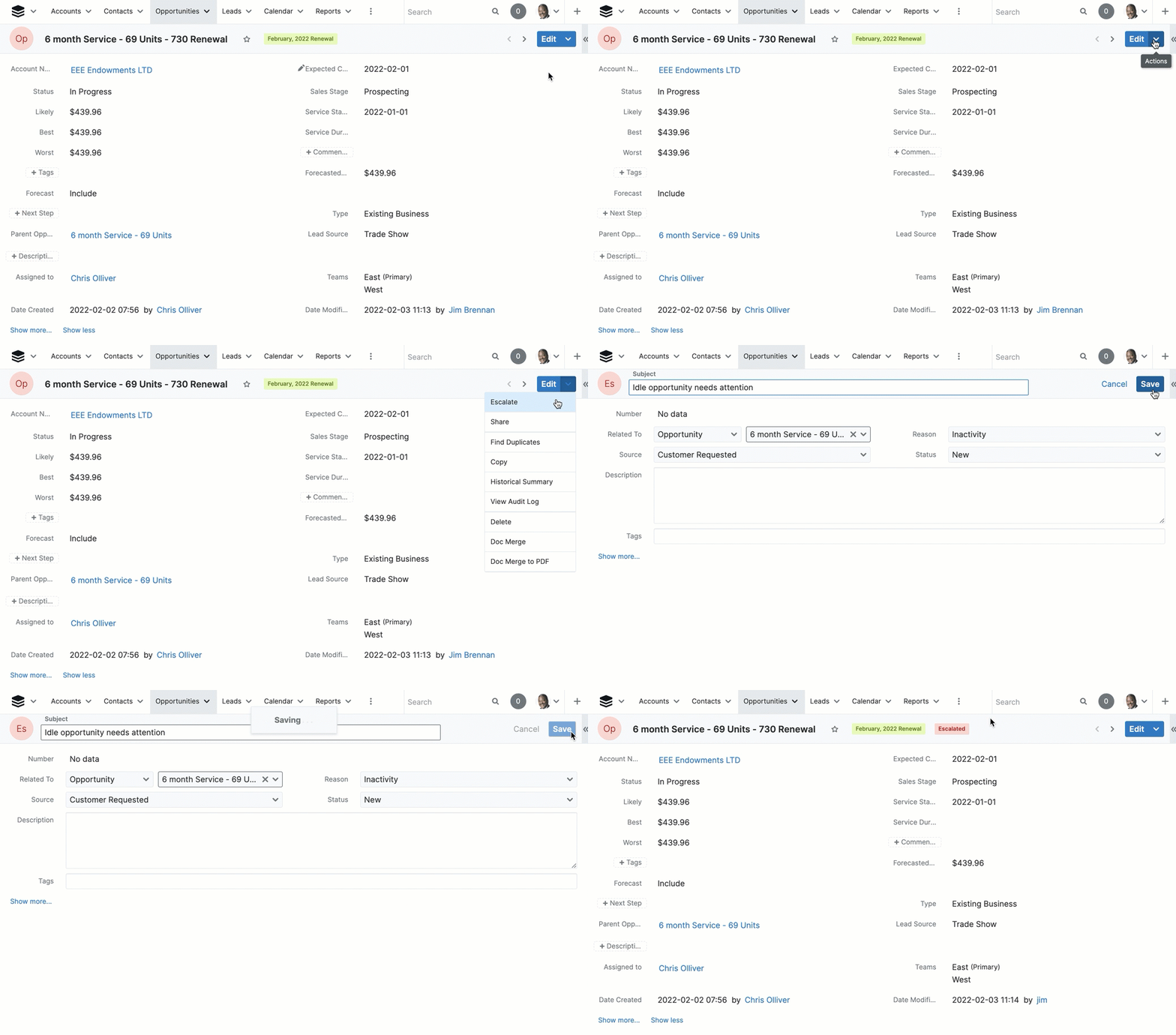
Remove blind spots with the Escalations module, which captures and centralizes other escalated modules, like accounts or opportunities. Customize reasons for your escalations and bring faster attention to where it’s needed most. |
|
No-Code Customizations |
||
Advanced ReportsSetup Required |
The Advanced Reports feature allows users to create custom reports using a single or a combination of SQL statements to directly query your Sugar database. |
|
Role-Based Dropdown ListsSetup Required |
Restrict which options are available for a user to select when editing records based on the user’s role. |
|
Role-Based Record ViewsSetup Required |
Configure custom layouts based on a user’s role. |
|
Drop-down based viewsSetup Required |
You can now show the most important information to the user based on the context of each record. |
|
Purchase Tracking |
||
PurchasesSetup Required |
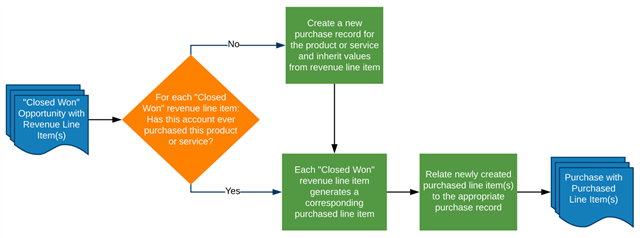
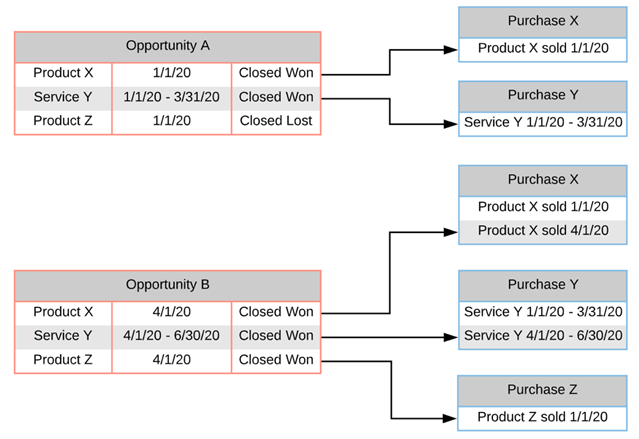
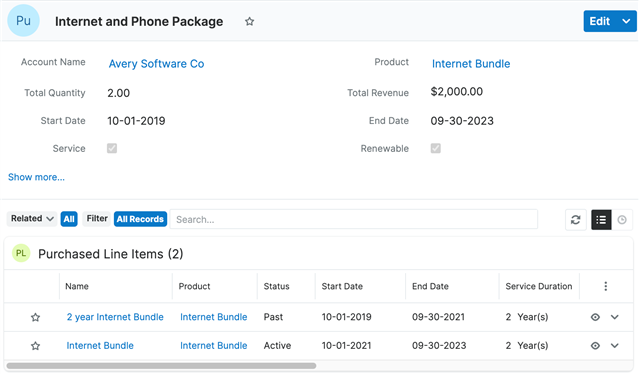
Create Purchase records that represent the products or services you provide to your clients. Purchases gives a historically accurate and time-aware picture of the status and value of your accounts. |
|
Purchase History Dashlet |
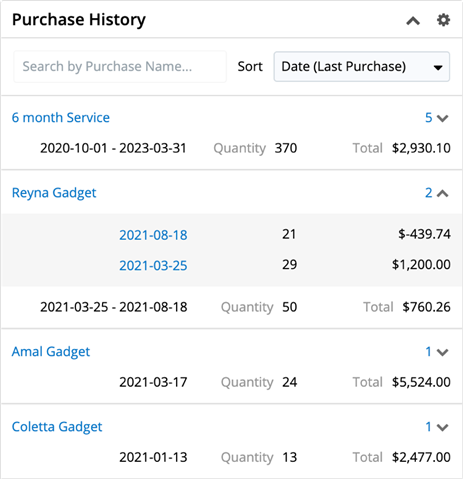
The Purchase History Dashlet shows all the current account’s purchases regardless of the start or end date of the purchase record. The dashlet also shows each purchase’s name, date range, quantity, and total. |
|
Purchased Line ItemsSetup Required |
Use the Purchased Line Items module to give you and your team an accurate and succinct picture of what, how much, and when your customers purchased from you. |
|
Sales Acceleration |
||
Doc Merge |
Enable users to spend less time fussing with documents and more time delighting customers by creating beautiful, templated documents and merging data from one or more Sugar modules, all without writing a single line of code. Popular examples include NDAs, proposals, contracts, labels, form letters, and more. |
|
Focus Drawers |
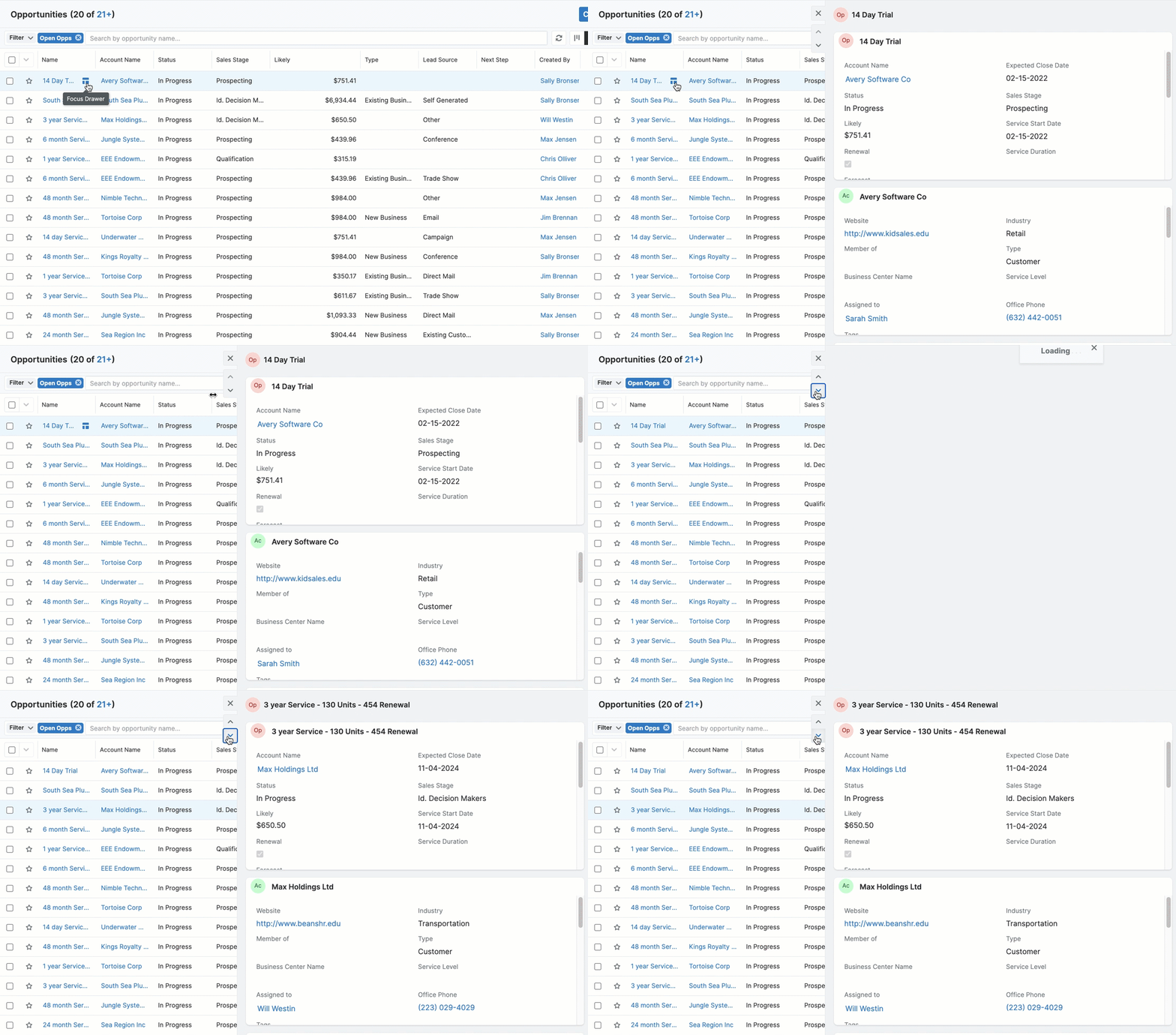
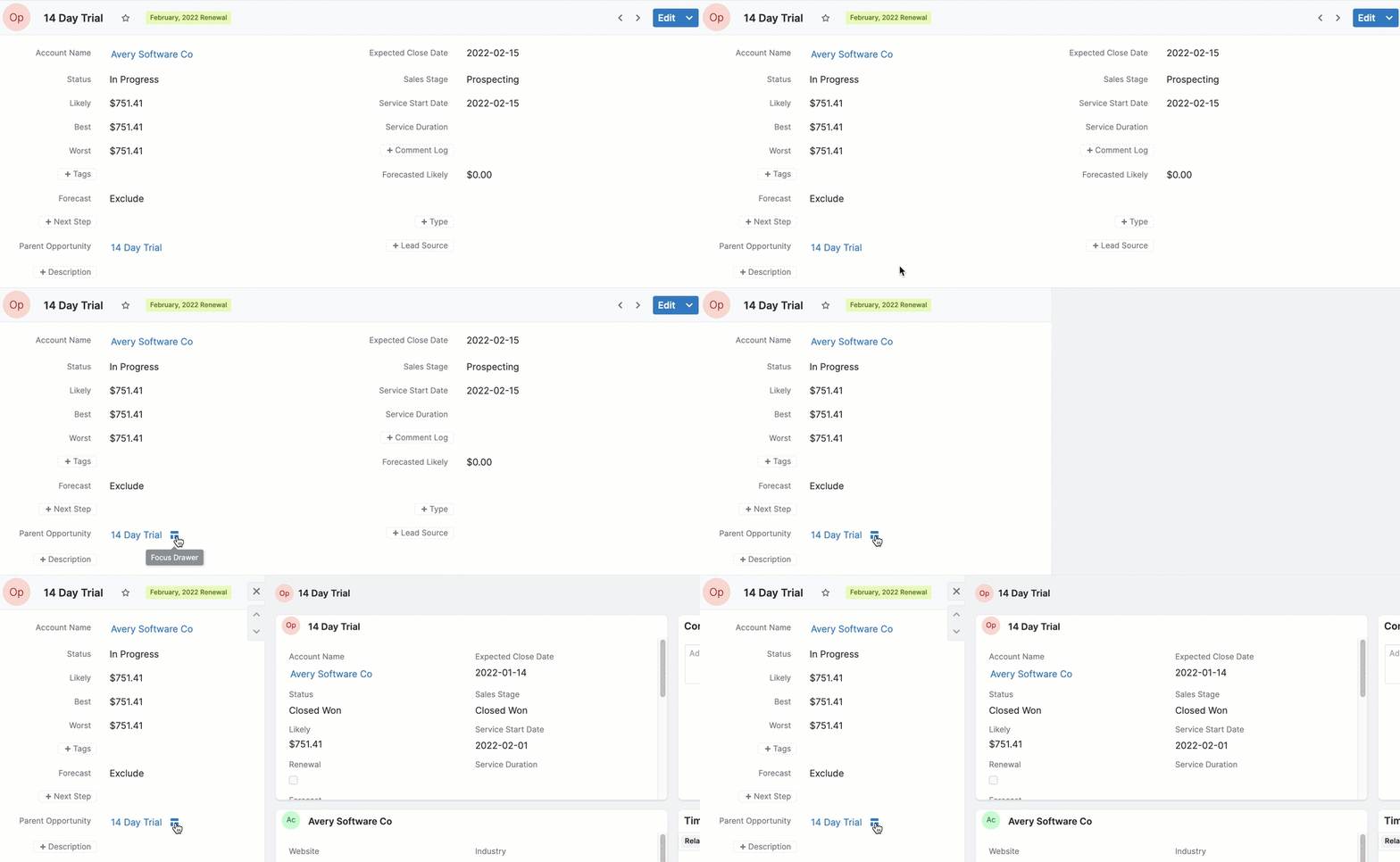
Tired of switching between tabs to get all the data you need? Focus drawers give you a 360-degree view of all things related to that record in a series of dashlets, including calls, meetings, purchase history, and active subscriptions. |
|
Knowledge Base Search Dashlet |
The Knowledge Base Search dashlet gives you quick access to published articles in the Knowledge Base module with a search bar and a tree-based view. Add the Knowledge Base Search dashlet to add to any dashboard in Sugar. |
|
Record View Dashlet |
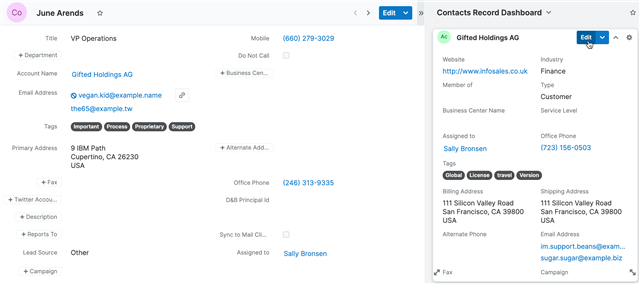
Reduce the number of clicks users need to find and update information with the Record View dashlet, all without leaving their current page. |
|
Revenue Line ItemsSetup Required |
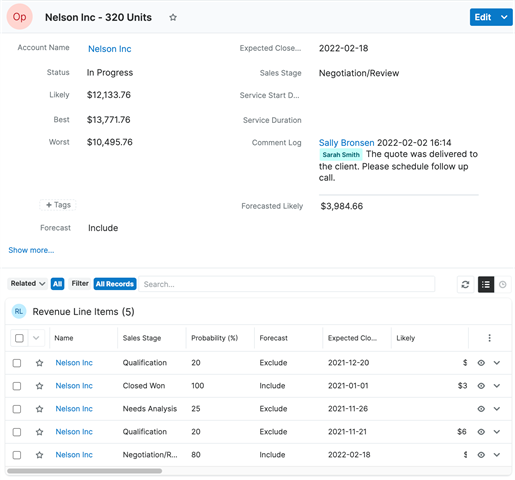
Revenue Line Items gives you greater visibility into individual line items within an opportunity record and track those line items through the entire sales life cycle. Revenue Line Items also enable you to forecast on each line item, giving you greater accuracy on the business you’re expected to win. |
|
Tile View |
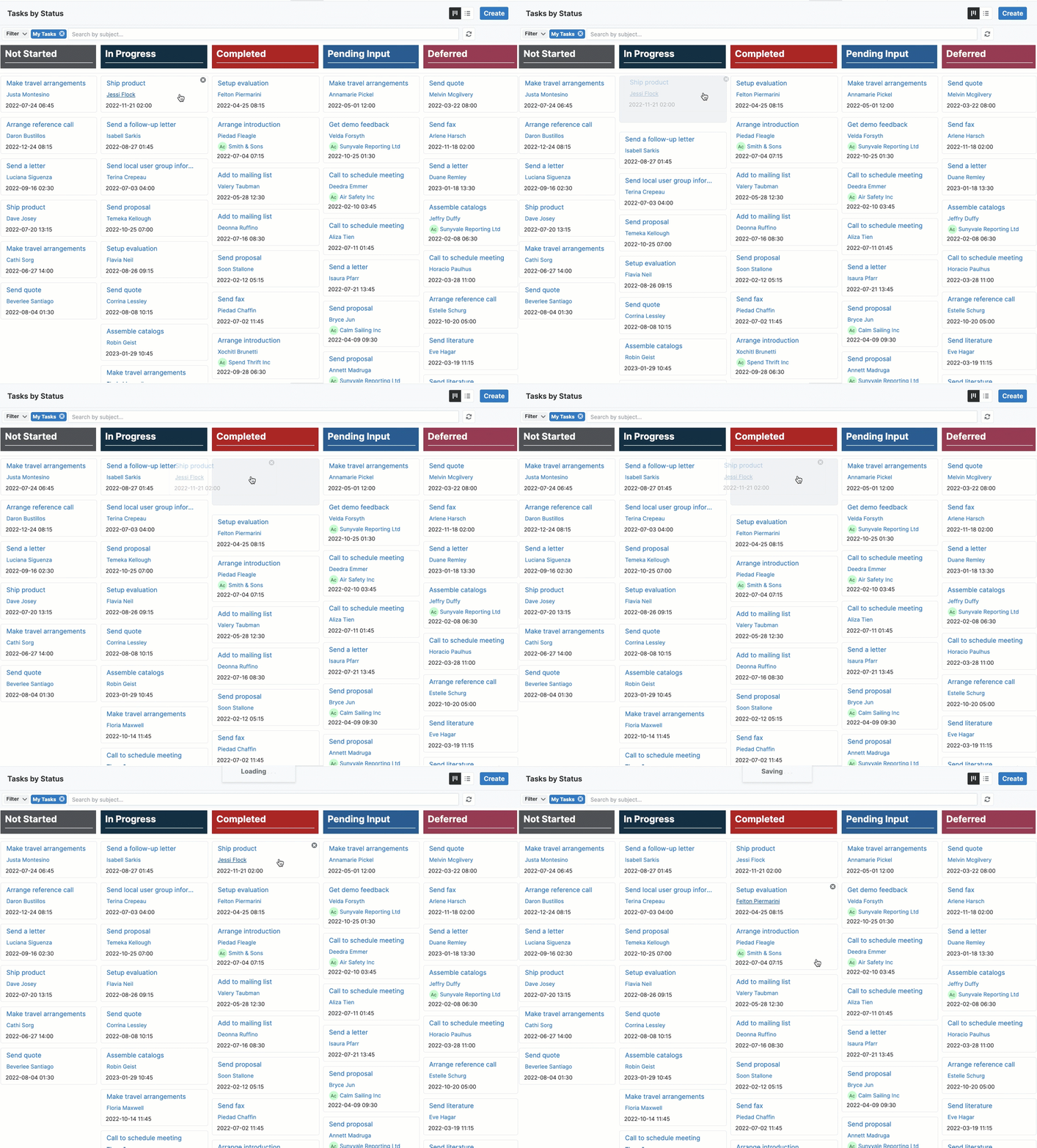
Display and edit records in an intuitive drag-and-drop interface without leaving your existing module. |
|
Timeline Dashlet |
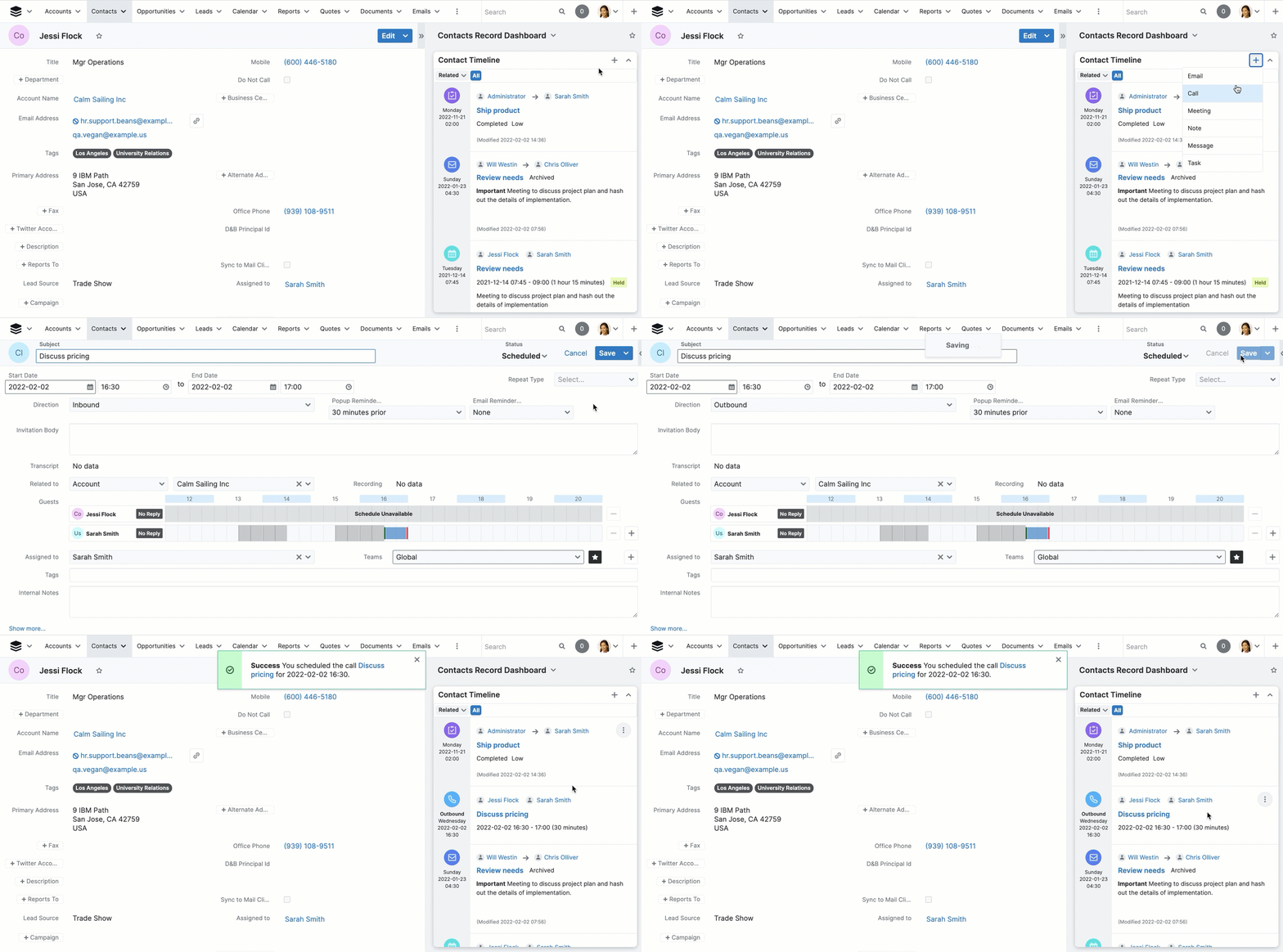
Timeline dashlets allow users to view all the critical actions around a customer record, including emails, calls, meetings, and notes and quickly see changes in the status of those items in a clean, chronological view. The intuitive interface allows users to spend less time clicking and searching for changes in status or priority and more time focusing on solving their customers’ needs. |
|
Subscription Management and Add-Ons |
||
Renewals Console |
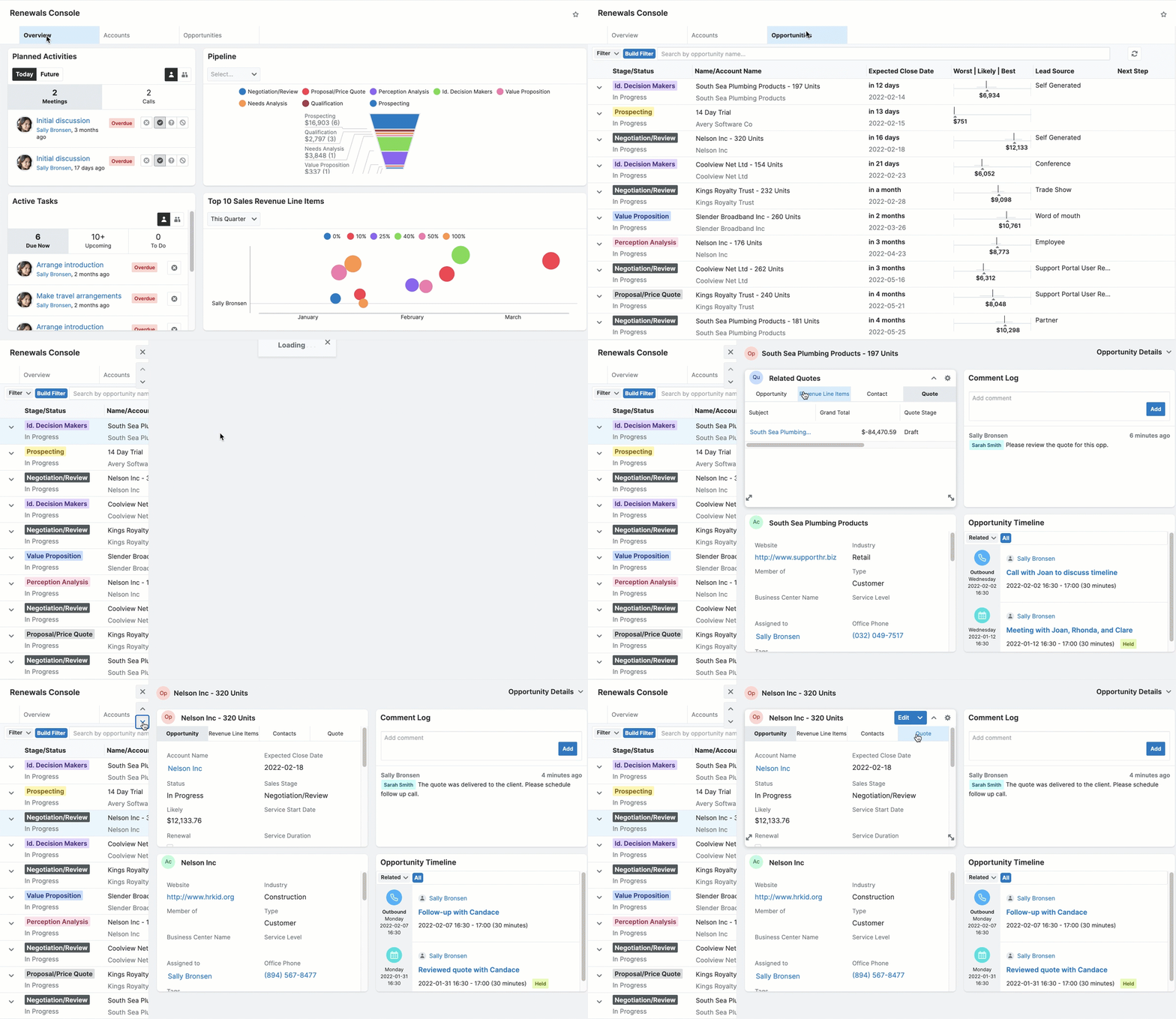
Easily manage subscription-based business activity by giving your sales teams complete visibility into all of the products a customer is actively subscribed to with Sugar’s Renewals Console. Users can quickly find the subscription duration, start, and end dates of each product in an intuitive timeline format and can add products that have defined start and end dates (like annual service contracts or monthly subscriptions) to opportunities and quotes with a single click. |
|
Active Subscriptions Dashlet |
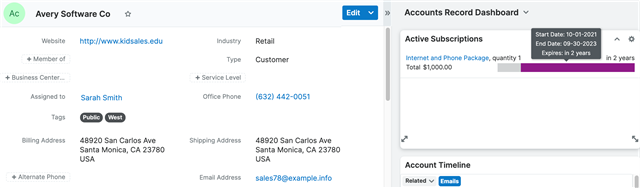
Get a quick peek into all your current subscription renewal accounts, including each purchase’s name, quantity of units, and purchased line item. You’ll also find a simple bar chart that displays time elapsed and time remaining for each subscription. |
|
Automated Renewal Pipeline CreationSetup Required |
When you close an opportunity containing a renewable service, Enterprise will automatically create a renewal opportunity with an expected close date that aligns with the end date of the renewable service. |
|
Coterminous Add-onsSetup Required |
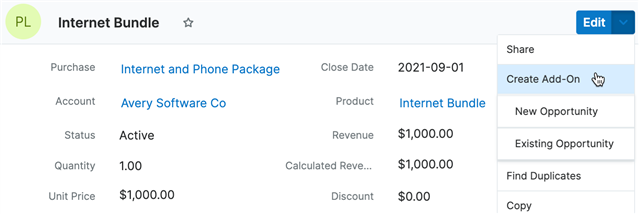
Enterprise streamlines the process of adding additional services or products onto existing business by keeping dates consistent and automatically updating the related renewal opportunity and revenue line item(s). |
|