


Watch the Recording
Event Details
Great decisions start with great visibility.
Join us for Seeing Success: Building Actionable Dashboards in Sugar, where you’ll learn how to build and standardize dashboards that help your teams stay focused, aligned, and accountable.
We’ll cover how to:
- Build dashboards using Sugar’s out-of-the-box templates
- Create standard views your teams can easily share and adopt
- Run meetings directly from dashboards to keep discussions data-driven and efficient
Walk away with best practices and ready-to-use examples that make dashboards more than just visuals—they become the foundation for running your business with confidence.
Make every meeting, decision, and action data-driven.
Instructor: Andrea Ayers
Recording date: February 3, 2026
Session Resources
- Slide Deck
- Handout & Answers
- Quick Video: From Template to Transformation – Building Dashboards with OOTB Tools
- Dashboards and Dashlets Application Guide
- Dashboard Templates
- Take Advantage of Sugar’s New Feature: Dashboard Filtering
- Using the Role-Based Dashboard Templates
- Enhanced Forecasting Dashboards Application Guide (for Sell Premier only)
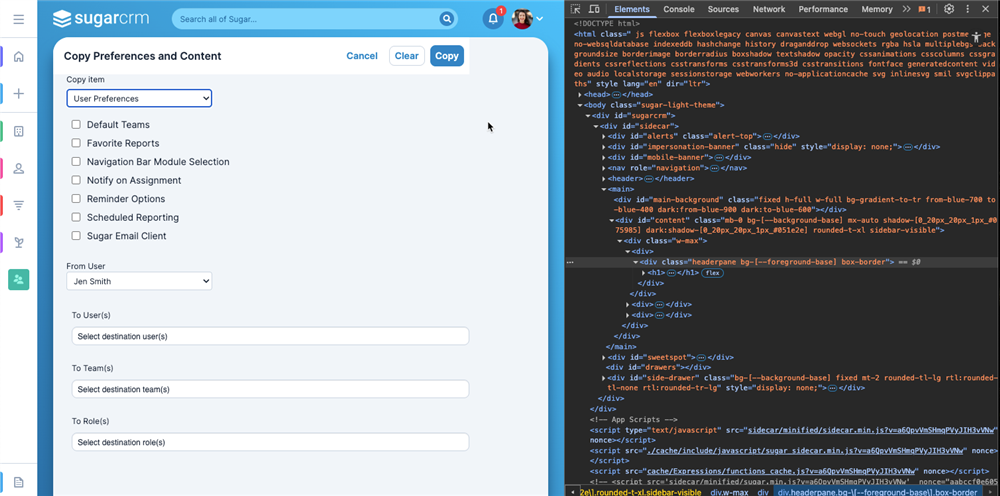
Workaround for User Management>Copy User Preferences and Content:
If your screen looks like this:
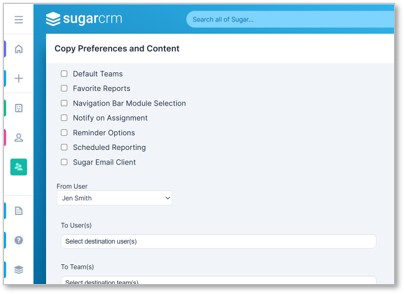
And, it should look like this: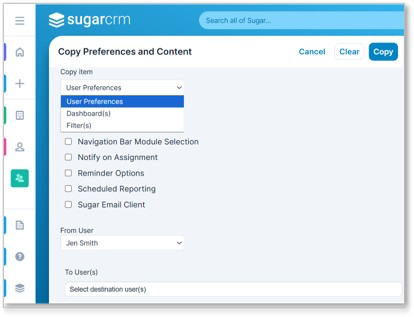
this is a known issue in Sugar, tracked internally as Issue #96260, and it is scheduled to be resolved in the upcoming 26.1 release.
In the meantime, you can use the following workaround to make the missing options visible:
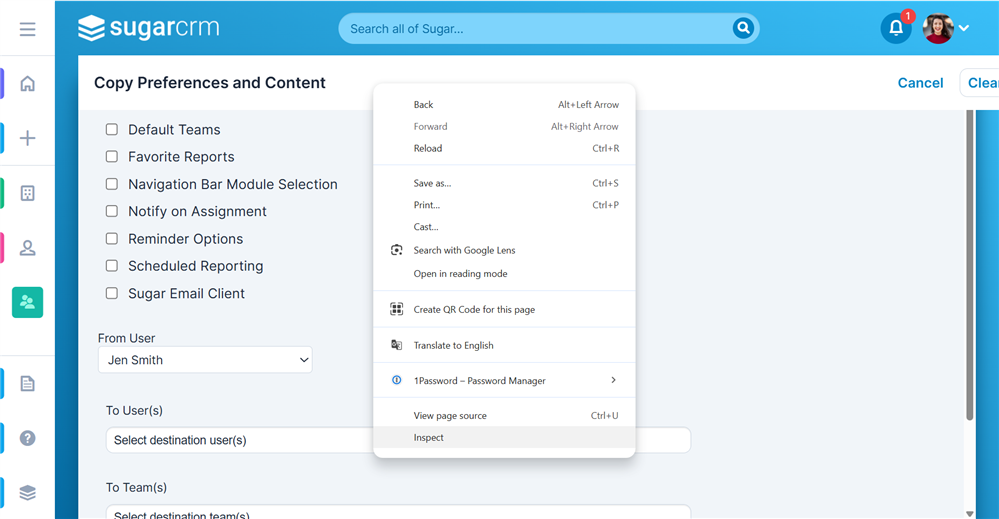
- Right-click the header bar and select Inspect.
- Double-click the <div> class named: headerpane bg-[--foreground-base] box-border fixed w-full
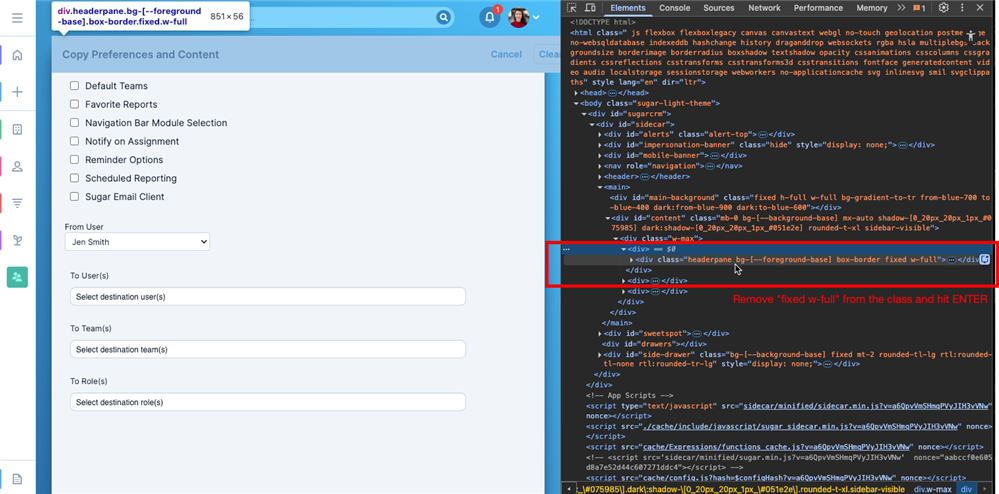
- Remove fixed w-full from the class.
- Press ENTER.
- After removing that portion of the class, the UI will adjust and the options under Copy Content will become accessible. Result:
Next Sugar Sell Foundation Series Webinar: From Data to Direction: Mastering Reports in Sugar [Sugar Sell Foundations Series]
See Unlock Your Success with the Sugar Sell Foundations Series to learn more about the Sugar Sell Foundations Series.