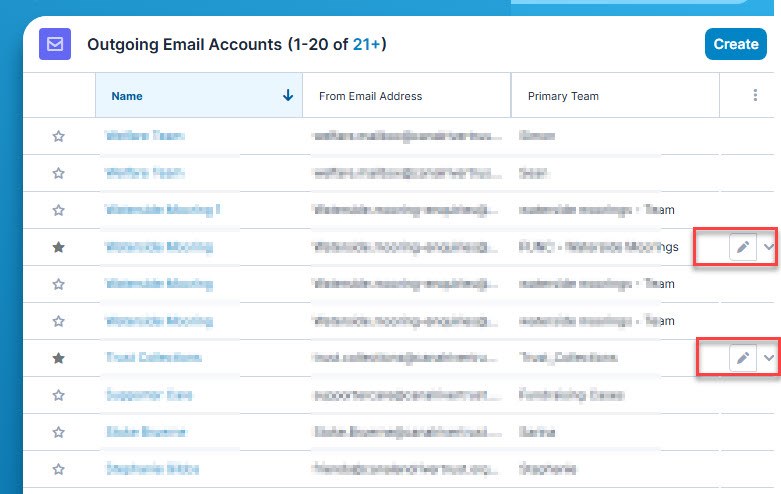
Outgoing email account - Admin

Hi (SugarCRM Ent v25.01)

As the system administrator, i have created outgoing accounts that are the preferred accounts for given teams. However, some users have set up their own. These cause these out going mail accounts to be listed in the TO: field of emails.

As the Admin, i appear to have no way to prevent users from setting up outgoing account or any way of editing/deleting.

Is this correct? What can i do to delete duplicate accounts and prevent new ones?

Kind regards john

Parents
  • Hi  ,

    Outgoing Email Accounts can only be edited by the owner (user that created the record):

    User Email Accounts: User email accounts can be created by all users and can consist of the user's personal email accounts (e.g., jane@example.com) as well as any shared email accounts (e.g., support@example.com, sales@example.com). Please note that user email accounts can only be edited by the record owner.

    This text was extracted from our application guide.

    However, admin users can restrict the creation of Outgoing Email Accounts, so regular users can't add new records. To do this, you need to go to the System Email Settings section and uncheck the "Allow users to configure email accounts" option

    So, to delete the non necessary accounts, the users that created the accounts will need to do it. Then, you can uncheck the setting so they are not allowed to add new records again.

    I hope this helps but let me know should you have any additional questions on this.

    Best regards,

    Francesc del Moral

    Solution Architect

Reply
  • Hi  ,

    Outgoing Email Accounts can only be edited by the owner (user that created the record):

    User Email Accounts: User email accounts can be created by all users and can consist of the user's personal email accounts (e.g., jane@example.com) as well as any shared email accounts (e.g., support@example.com, sales@example.com). Please note that user email accounts can only be edited by the record owner.

    This text was extracted from our application guide.

    However, admin users can restrict the creation of Outgoing Email Accounts, so regular users can't add new records. To do this, you need to go to the System Email Settings section and uncheck the "Allow users to configure email accounts" option

    So, to delete the non necessary accounts, the users that created the accounts will need to do it. Then, you can uncheck the setting so they are not allowed to add new records again.

    I hope this helps but let me know should you have any additional questions on this.

    Best regards,

    Francesc del Moral

    Solution Architect

Children
No Data